
SETTNG UP
Skiptrak has the ability to guess or estimate the weight that a container should have.
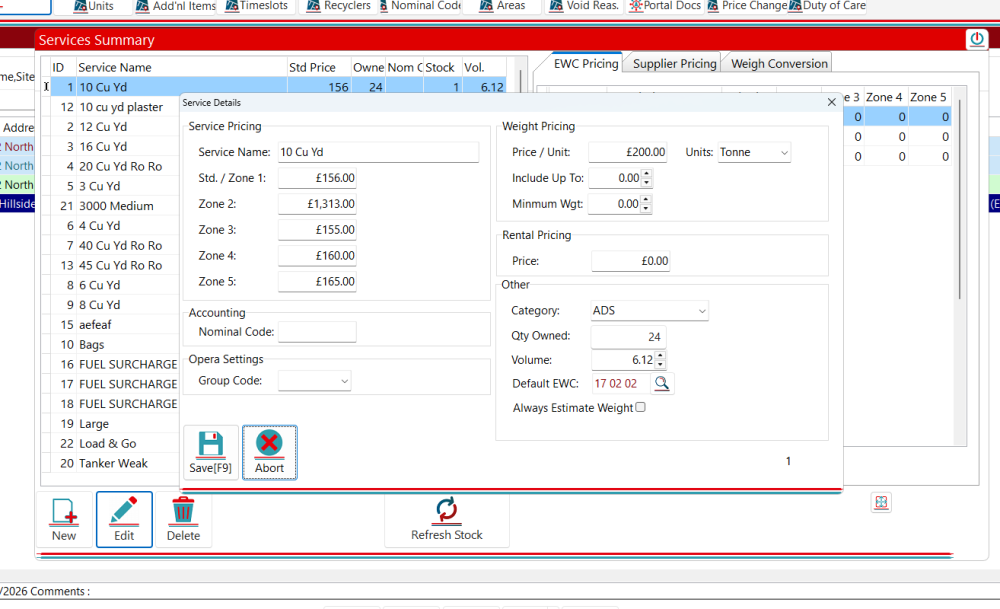
To set this up, go into your selected service, and enter the containers volume (in M3 (cubic meter) which is also a litre x 1000)
Then in the EWC Codes, set up the assumed density factor (Mixed Con has a factor of 0.32).
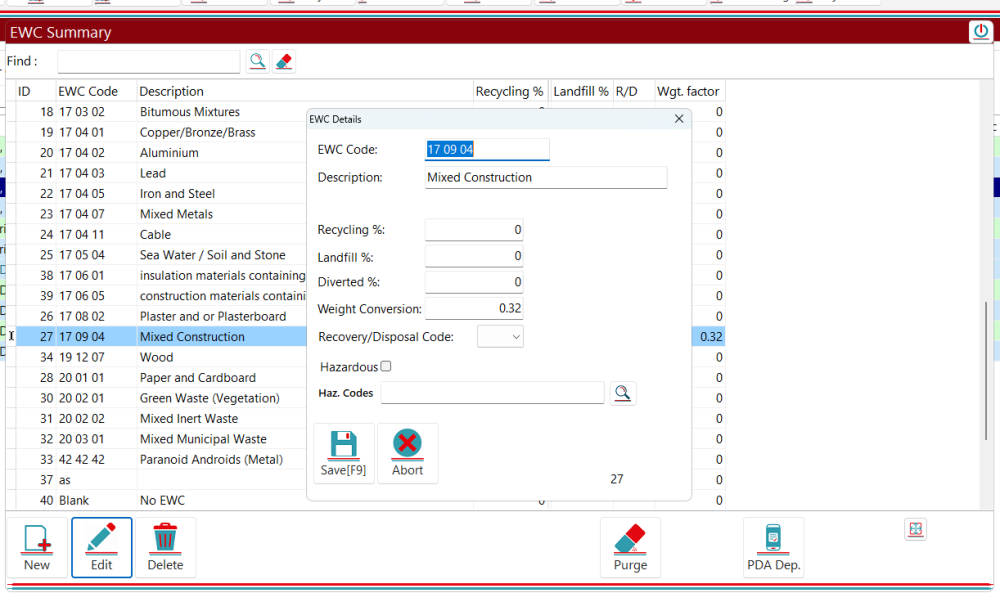
This will then set up for calculating the estimated weight of a container. So in this instance 6.12 M3 × 0.32 KG.
APPLYING
Now that the estimated weights have been set up, you can apply these to jobs by making certain you have selected the necessary container and EWC code. Now go into your weights section :-

Clicking estimate weight then the refresh button will then apply the calculation to the job.
There will be times where you will want this auto applied as some may forget. Back in services we have an “Always estimate weight” checkbox :-
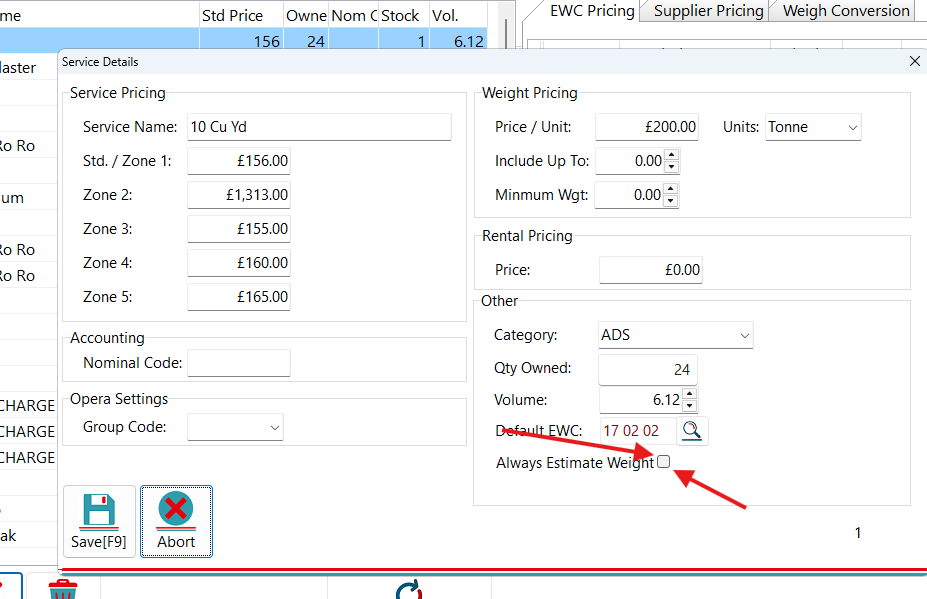
When this is ticked (as long as the agreement has a relevant EWC code that has been set up), this will then automatically give you estimated weights.
COMMON WEIGHTS
Some of the common weights in M3
2 Cu Yd = 1.5
4 Cu Yd = 3.1
6 Cu Yd = 4.6
8 Cu yd = 6.1
10 Cu Yd = 7.60
12 Cu Yd = 9.17
14 Cu Yd = 10.7
16 Cu Yd = 12.23
*1 cubic yard = 0.764555 cubic metres
Feedback

Post your comment on this topic.