
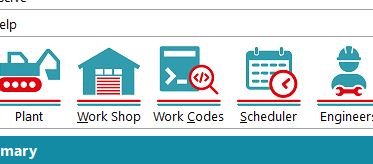
To Add a Code click Work Codes on the top menu.
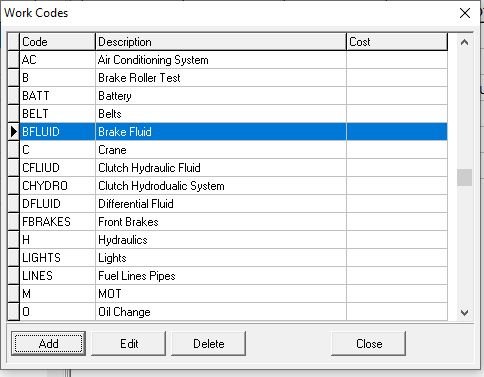
Then Click Add to create a new Code
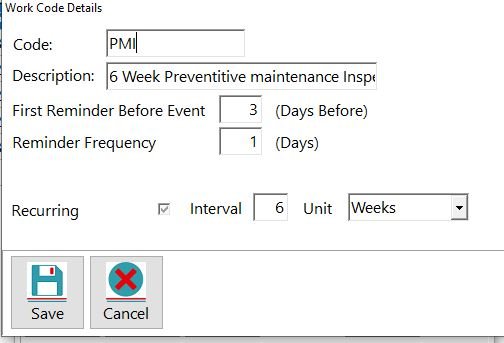
Fill in all the relevant details, in this example setting up the 6 weekly PMI check, on this screen we can set the frequency of the reminders that will be sent to the selected person, usually your Transport Manger, and also set the frequency of the next recurring requirement, so once this code has been allocated to a vehicle it will add itself to the job schedule every 6 weeks and inform the nominated person 3 days before the due date and every day until it is cleared, ensuring important items such as the PMI are not missed.
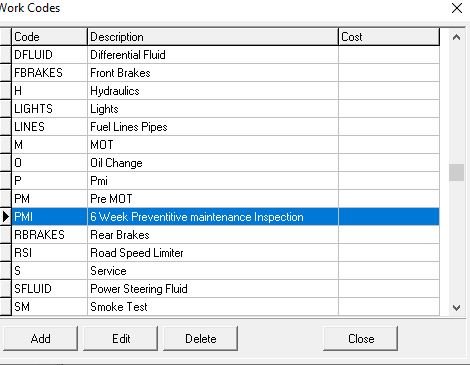
The item then appears in the list and can be selected when adding a Job.
Feedback
Copyright © 2026 Midsoft
—
Powered by 
Post your comment on this topic.