
To add a new job, click Jobs on the Top menu

This will open a jobs page
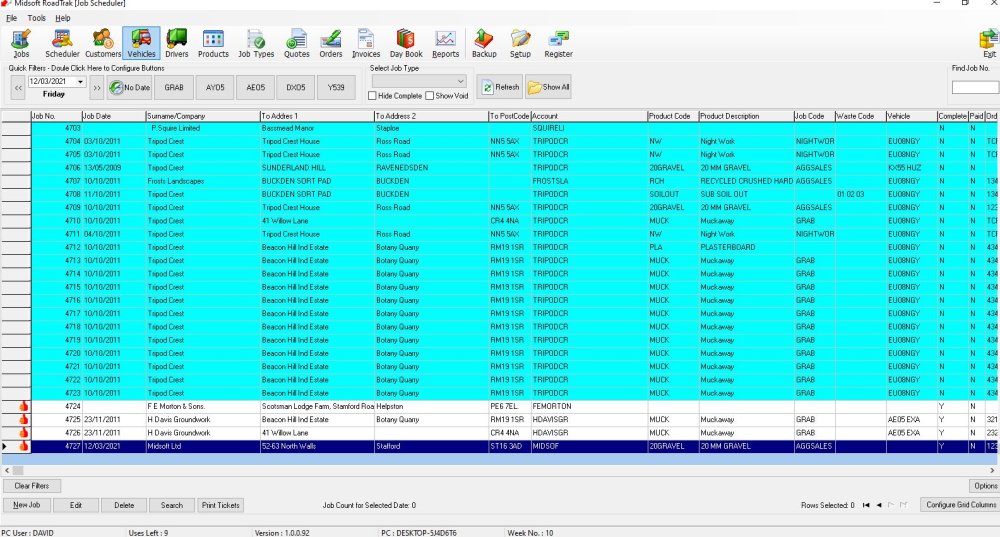
Click on New Job on the bottom menu

This opens the New Job Screen
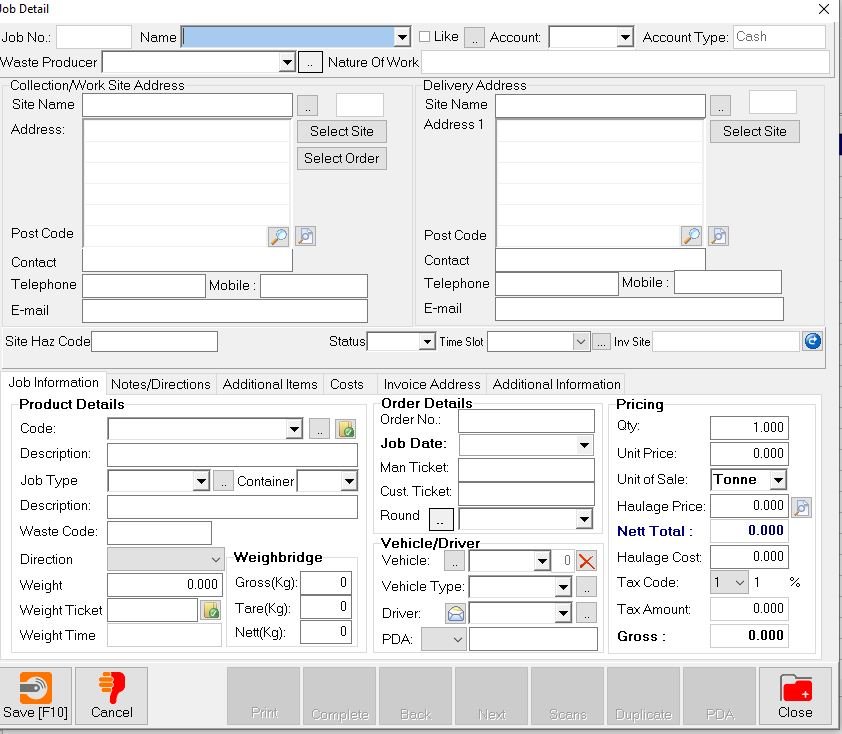
The default start place is the customer name, add that in and complete the job details, site for delivery, actual item they are buying, all the relevant costs and codes.
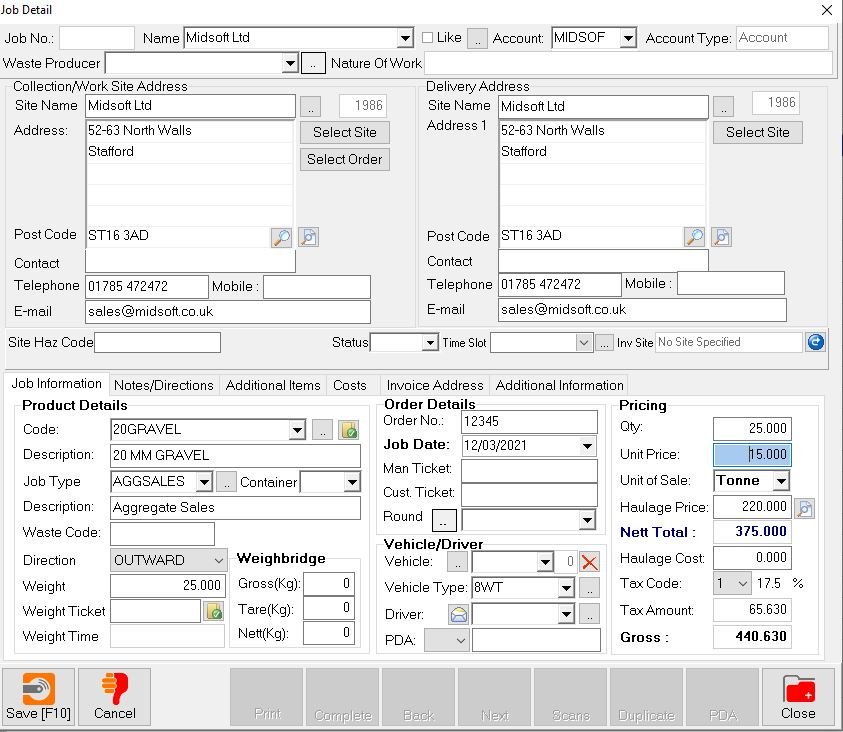
Then when you click Save it adds the New Job to the Job list

Feedback
Copyright © 2025 Midsoft
—
Powered by 
Post your comment on this topic.